Consent Mode v2 for US businesses with European visitors: who it applies to, what to set up, and the twenty-minute check
Why Google Consent Mode v2 applies to a US business with visitors in the EEA, UK or Switzerland, what to set up, and a twenty-minute check of your site.
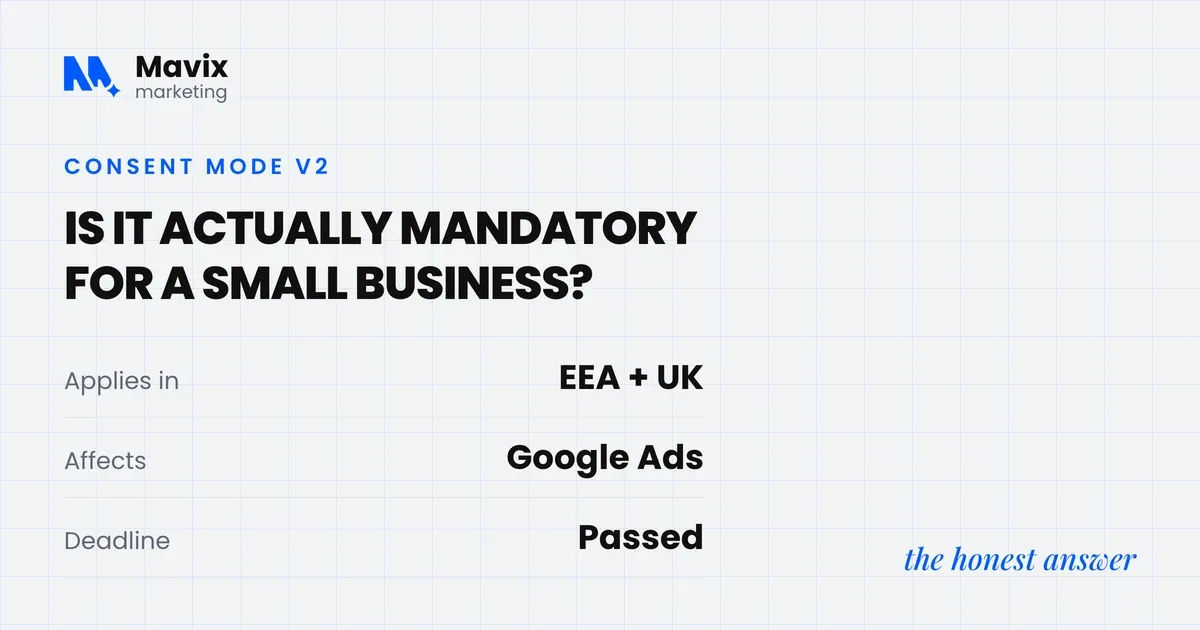
A US business comes under Google’s EU user consent policy as soon as its site has visitors in Europe. The policy applies to end users in the European Economic Area, the UK and Switzerland (Google EU user consent policy). If your site uses Google Ads or Google Analytics tags and gets visitors from those places, Google expects the visitor’s consent choices to reach its tags. For an advertiser that runs its own cookie banner, Google’s instruction is to implement Consent Mode v2 (Google Ads Help). Business size makes no difference, and neither does a US address. The requirement follows the visitor.
The consequence is a product one, not a fine. Google says advertisers who fail its consent audit can lose ad personalisation, remarketing and conversion measurement (Google Ads Help). This post covers who the requirement applies to and what to set up. If your conversions have already dropped, start with why your Google Ads conversions dropped. If you are deciding whether to bother at all, what happens if you skip Consent Mode v2 sets out the consequences in order.
This explains Google’s product requirements, not legal advice.
The short version
- Google’s EU user consent policy covers end users in the EEA, the UK and Switzerland, so a US business with visitors there is covered for that traffic, whatever its size.
- Consent Mode v2 passes four consent signals to Google’s tags: ad_storage, analytics_storage, ad_user_data and ad_personalization. The last two were added in version two.
- Advertisers do not need a Google-certified consent platform. Google says advertisers can, but are not required to, use one, and an advertiser with its own banner can implement Consent Mode v2 directly.
- Advanced mode loads Google’s tags with consent denied and sends cookieless pings, which supports an advertiser-specific model. Basic mode blocks the tags until the visitor chooses and supports only a general model.
- Google Ads conversion modelling needs 700 ad clicks over a 7 day period, per country and domain grouping. A US account with a small European budget gets the compliance benefit and little modelled recovery.
- Since 15 June 2026, Google says Consent Mode settings, not the Google Signals setting, govern how Google Analytics data is collected for Google Ads.
Who does Consent Mode v2 apply to?
It applies to any site that uses Google’s advertising or measurement tags and has visitors in the EEA, the UK or Switzerland, and that includes a US site. Google’s policy is written around where the end user is located. A business in Texas selling to buyers in Ireland is covered for that share of its traffic (Google EU user consent policy). The same goes for a US store shipping to the UK, and for a US agency running campaigns into Germany for a client.
| Your situation | Does it apply? | Why |
|---|---|---|
| Site with Google Ads or GA4 tags and visitors in the EEA | Yes | Google’s EEA page asks advertisers to pass consent choices for EEA traffic (Google Ads Help) |
| Same site, visitors in the UK or Switzerland | Yes | The EU user consent policy names the EEA, the UK and Switzerland |
| US business with some European visitors | Yes, for those visitors | The policy follows where the visitor is, not where the company is |
| Site with no Google Ads or Google Analytics tags | Consent Mode does not apply | Consent Mode is Google’s mechanism, though privacy law may still apply to your banner |
| Publisher earning from AdSense, Ad Manager or AdMob | Yes, plus a certified platform | Google requires publishers to adopt a Google-certified consent platform (Google Ad Manager Help) |
Two things people miss. The UK is included even though it left the EU, because Google’s policy names it alongside the EEA. And Switzerland is included too, which catches out US stores that ship to Zurich or Geneva and assumed the rule stopped at the EU border.
US state privacy laws are a separate matter with their own mechanism. California’s Attorney General says people may ask a business to stop selling or sharing their personal information. It says a Global Privacy Control signal must be honoured by covered businesses as a valid request (California Department of Justice). Google documents a different feature, restricted data processing, for US state privacy laws (Google Ads Help). So a US site can need both: Consent Mode for its European visitors and separate handling for its US ones.
What are the four consent signals?
Consent Mode is Google’s mechanism for adjusting how its tags behave based on the consent choices a visitor makes. Your banner asks the visitor. Consent Mode tells Google’s tags what the visitor answered, through four signals (Google for Developers):
- ad_storage covers storage such as cookies related to advertising.
- analytics_storage covers storage related to analytics, for example visit duration.
- ad_user_data sets consent for sending user data to Google for online advertising.
- ad_personalization sets consent for personalised advertising.
The last two are the ones version two added (Google Ads Help). A banner installed before 2024 and never updated often sends only the first two. Google’s tags read whatever arrives and change their own behaviour, so conversion tracking, remarketing lists and the data behind automated bidding all follow from these four values.
Do I need a Google-certified consent platform?
As an advertiser, no. Google’s consent audit guidance says publisher partners must use a Google-certified consent platform, while advertisers “can (but are not required to)” use one (Google Ads Help). Google’s EEA page gives advertisers two routes. One is a certified platform that updates to the newest version of Consent Mode for you. The other is your own banner with Consent Mode v2 implemented (Google Ads Help).
So if someone quoted you a monthly platform fee on the grounds that Google requires certification for your ads account, that is not what Google’s advertiser documentation says. Pay for a platform if you want what it does, such as regional rules, consent logs or cookie scanning. If you also earn from display ads on your own site through AdSense or Ad Manager, or from an app through AdMob, the publisher rule does apply, and you carry both sets of rules.
Basic or advanced: which mode should I set up?
For most advertisers spending money in Europe, our recommendation is advanced. Google’s own comparison shows why: basic sends nothing until the visitor chooses, while advanced sends a denied state and cookieless measurements that give Google more to model from (Google for Developers).
| Moment | Basic mode | Advanced mode |
|---|---|---|
| Before the visitor chooses | Google tags blocked, no data sent, not even the default consent state | Tags load with consent set to denied |
| Visitor refuses | Nothing sent to Google | Consent state and measurements without cookies are sent |
| Visitor accepts | Tags load and fire with consent granted | Consent updates to granted and tags work normally |
| Modelling Google can do | General model, less detailed | Advertiser-specific model, more detailed |
Google also warns that holding tags back until someone interacts with the banner means it “won’t be able to verify user consent choices”, which may lead to loss of data (Google Ads Help).
Some legal advisers prefer basic because nothing leaves the browser before consent. That is a defensible position, and it is your call with your own advisers. Make the choice knowingly rather than inheriting whatever your consent plugin shipped with, which is where many basic-mode setups come from.

Photo: Sora Shimazaki on Pexels.
What does the modelling threshold mean for a small European budget?
It means many small accounts will not get modelled conversions, even with a perfect setup. Google Ads Help lists the eligibility condition as “a daily ad click threshold of 700 ad clicks over a 7 day period, per country and domain grouping”. That sits alongside a correct Consent Mode or IAB TCF v2.0 implementation (Google Ads Help). Below that, Google does not model the conversions lost to consent choices.
“Per country” does a lot of work in that sentence. A US brand spending a few hundred dollars a month on European campaigns, split across Germany and the Netherlands, buys only a few hundred clicks a month if clicks cost around a dollar. That is nowhere near 700 in a week in either market.
For scale, one Google Ads account managed here recorded £46.3K of spend at a £0.57 average cost per click, with 2,410 conversions at £19.21 each, between 6 February and 6 March 2023. That works out at roughly 81,000 clicks in 29 days, about 19,500 a week, so it would clear 700 a week even split across several countries. The period predates Consent Mode v2, so these figures say nothing about modelling results. They only show the kind of volume the threshold is set for.
If your European side is the small account, treat Consent Mode as what keeps your audiences and measurement eligible. Expect reported conversions to stay below actual sales, and make your own CRM or order system the source of truth.
What do I need to set up, step by step?
Seven steps, in this order. Steps two and seven are where most setups go wrong.
- Choose the banner route. A Google-certified consent platform, or your own banner with Consent Mode v2 implemented. Both are allowed for advertisers.
- Set the default state to denied for visitors in the EEA, the UK and Switzerland, before any Google tag loads. This is our recommendation, and Google’s verification guide expects the on-page default to read denied before the visitor chooses (Google Ads Help).
- Switch on the Consent Mode integration in your banner, so a click on accept or reject updates all four signals.
- Choose basic or advanced knowingly, using the table above.
- In Google Tag Manager, enable the consent overview. Go to Admin, Container Settings, and in the extra settings section select Enable consent overview. Then check that every tag sits under Consent Configured rather than Consent Not Configured (Tag Manager Help).
- In GA4, check the consent settings. Go to Admin, Data collection and modification, then Consent settings, which shows whether the property is receiving the consent signals it needs (Analytics Help).
- Verify on the live site, using the check below.
The twenty-minute check
- Open your homepage in a fresh incognito window and do not touch the banner. From the US you may not see the European banner at all. If your consent tool shows the banner by region, run the check through a VPN set to a European country, so you test what a visitor there gets.
- Open developer tools and look at the cookies the site has set. No Google advertising or analytics cookies should exist before a choice. If they do, the default state is not denied or is set too late.
- In Google Tag Manager, open the consent overview and confirm every Google tag is listed as consent configured.
- Use Tag Assistant as Google describes. Load the site, open the Consent tab, and check that ad_storage, ad_personalization, ad_user_data and analytics_storage all show an on-page default of denied. They should then show an on-page update of granted after you accept (Google Ads Help). Two signals out of four means version one behaviour.
- Reject everything, then submit a test enquiry. On advanced mode a cookieless ping still goes out. On basic mode nothing does. Now you know which mode you are on.
- In Google Ads, click Goals, then Conversions, then Summary, open a website conversion action and click the Diagnostics tab. It shows either “Consent mode is implemented” or “Consent mode is implemented and modeling is active”. Google says the status can take 48 hours to appear, and up to two weeks in some cases (Google Ads Help).
- In Google Ads, open Audience Manager and look at the size of your European remarketing lists over ninety days. Flat or falling while traffic holds is the sign of missing signals.
If step four shows two signals instead of four, that is the whole problem, and it is usually a setting in the consent tool rather than a rebuild.

Photo: Antoni Shkraba on Pexels.
What changed for Google Analytics on 15 June 2026?
Google moved control of Google Ads data collection in Analytics onto Consent Mode. Before 15 June 2026, the collection of Google Ads cookies and IDs from the Google Analytics tag was controlled by both the Google Signals setting in Analytics and your Consent Mode settings. From that date, Google says privacy selections managed through Consent Mode “will exclusively govern” how that data is collected and used. Google Signals then only controls the association of Analytics data with signed-in user information for behavioural reporting (Analytics Help). Google adds that changes to ads personalisation and IP address controls will follow later in 2026, with dates still to be announced.
That is what Google has documented. Our reading of it, which is interpretation rather than Google’s wording: switching Google Signals off is no longer a lever over what the Analytics tag collects for Google Ads. If your Consent Mode setup is wrong, Analytics now inherits the mistake. After any change to your banner, check the Analytics consent settings as well as Google Ads.
Is Meta covered by Consent Mode?
No. Consent Mode is Google’s mechanism, so Meta’s pixel and Conversions API need their own consent handling in your banner. A Meta pixel firing before consent is the same category of problem as a Google tag doing so.
Meta’s own European position also changed. The European Commission fined Meta €200 million on 23 April 2025 under the Digital Markets Act over its “pay or consent” model (European Commission). Meta committed to offer EU users, from January 2026, a choice of an experience with more limited personalised advertising (European Commission). The Meta side is covered in Meta ads in Europe: six mistakes US advertisers make.
Where the line is
Consent Mode is not the law. It is how you tell Google what a visitor chose. Whether your banner, its wording and what it blocks are lawful is a question for European and UK privacy law and your own adviser. Being a US company does not take your European visitors out of those rules. Deleting the banner to restore the numbers turns a measurement problem into a legal one.
The rules may move again. On 19 November 2025 the European Commission proposed bringing cookie rules under the GDPR framework. The proposal would let people refuse all cookies with a single click. It would let them set preferences centrally, for example in the browser, which websites must respect. It would also remove consent pop-ups for low-risk purposes such as counting visits (European Commission). It is a proposal, not law. Our view is that nothing in it changes what to do this quarter, and a browser-level signal would make a correct Consent Mode setup more important, not less.
The bottom line
The requirement is set by where your visitors are. Your size and your US address do not change it. Get the four signals flowing, set the default to denied before any tag loads, choose your mode on purpose, and check the result in Tag Assistant rather than trusting the settings screen. The cost of getting it wrong is not a fine. It is months of decisions made on numbers that were missing a slice of Europe.
Questions people ask about this
Does this apply if I do not run Google Ads?
If you use Google Analytics 4 with visitors in the EEA, the UK or Switzerland, yes. The signals govern what Analytics is allowed to store as well as what Ads is allowed to use. Google says that without action only users outside the EEA are included in the audiences your linked advertising products use. If you use neither product, Consent Mode does not apply, though privacy law may still apply to your banner.
How do I know which consent mode I am running?
Run step five of the check in the post. Reject everything on the banner, submit a test enquiry and watch the Network tab. A cookieless ping going out means advanced. Silence means basic. If your consent plugin has a setting labelled advanced or basic, that is the second place to look, but the network test is the proof.
Can I switch from basic to advanced myself?
Usually, if the consent tool was installed as a plugin or through Google Tag Manager. Most tools expose it as a single setting. Change it, then rerun the check in the post to confirm all four signals are present and a ping goes out after a rejection. Speak to whoever advises you on privacy first, because the two modes send different things before consent.
What if my consent plugin only sends two flags?
The plugin is on version one behaviour, and the fix is nearly always an update or a toggle rather than a rebuild. Update the plugin, then look for a setting that mentions ad_user_data and ad_personalization or Consent Mode v2. Rerun Tag Assistant and check the Consent tab shows four signals. If the plugin cannot send four, replace it.
Should I set the default state to denied everywhere?
Set it to denied for visitors in the EEA, the UK and Switzerland at minimum, before any Google tag loads. Whether to do so for US visitors is a legal question for your own advisers, and US state privacy laws work differently. Some businesses apply the strict setting to everyone for simplicity. The mistake to avoid is a default of granted for European visitors, which sends Google data before anyone has agreed to anything.
Will my conversions rise once it is fixed?
Reported conversions should stop leaking, and if your account clears the modelling threshold in the post, some of the missing share is modelled back. Nothing historical is recovered. Compare the period after the fix against the same length of time before it and against your own order records. If reported conversions still sit well below actual sales, that is the modelling threshold at work.
How does the modelling floor affect a small business?
Below 700 ad clicks over 7 days per country and domain grouping, Google does not model your missing conversions, so reported numbers stay below reality even with a correct setup. That does not make the setup pointless, because audiences and measurement eligibility still depend on it. It means you stop treating Google Ads as the source of truth. Count sales and enquiries in your own system and use the ads report for direction.
Does my web developer or agency handle this for me?
Only if someone was asked to. Consent Mode sits between the banner, the tag setup and the ad account, and each of those is often owned by a different person. Ask directly who checked the four signals and when. If nobody can answer, run the twenty-minute check yourself. The result tells you what to ask for.
Can I remove the banner for visitors outside Europe?
The consent requirement is a legal question that depends on where your visitors are and what law applies to them. Google’s policy requires the signals for users in the EEA, the UK and Switzerland. Many consent tools can show the banner by region, which is how a US site usually handles it. Whatever you decide, do not remove it for European visitors to improve the numbers, because that removes the basis for the tracking.
Why are my remarketing lists still shrinking after the fix?
Lists only grow from visitors who arrive after the signals were corrected, and existing members keep ageing out. Give it several weeks and compare the list size trend against traffic. If the list is still flat while traffic holds, check that the fix reached every page and every tag, not only the homepage. A banner that loads late on one template can leave the gap open.
What should I check on the Meta side?
Load the site in a fresh incognito window with the Meta Pixel Helper extension open and do not touch the banner. If the pixel fires with events before a choice, it is the same problem as a Google tag doing so. Then check that your Conversions API setup respects the same consent state. Meta does not read the Google signals, so it needs its own wiring.
Free review
Want this looked at on your own site?
Send the address. A person reads it and writes back with the two or three things that would move your enquiry number first. Free, and yours to keep whether you hire us or not.