Google algorithm updates: what they are, which ones changed the work, and what to do when one hits your site
Google changes search thousands of times a year and names a handful. What a core update is, how to tell if one hit you, and what to check first.
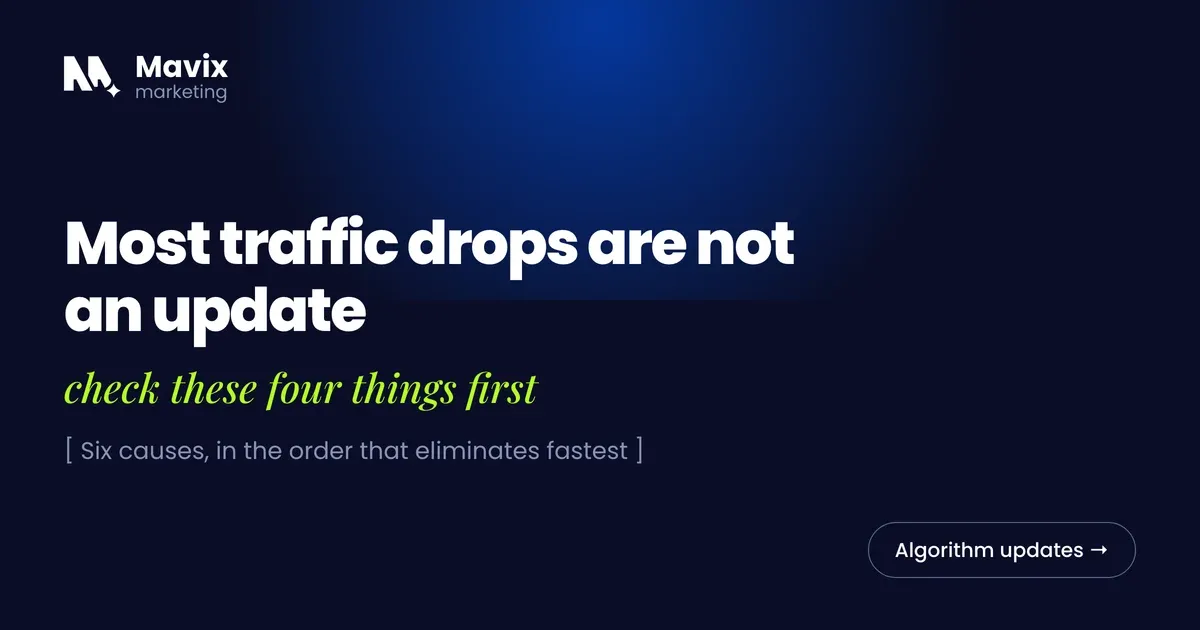
Google says it made 4,781 launches to Search in 2023 alone (Google, How Search Works), and it names only a handful of changes each year on its Search Status Dashboard. So when traffic drops thirty percent on a Tuesday and nothing on the site changed, the first question is not whether Google did something. It is whether Google did something it has confirmed, and whether the drop lines up with the dates.
That check is most of the discipline. In the accounts we have inherited, a lot of the damage after an update came from the reaction rather than the update. The pattern is a site rewritten in a panic during a rollout that was still moving, against a cause that turned out to be a broken redirect.
The short version
- Google confirms named ranking updates, with start dates and durations, on its Search Status Dashboard. If an update is not listed there, it is not a confirmed update.
- Core updates are broad changes that Google says do not target specific sites or pages. Spam updates enforce Google’s written spam policies.
- The core updates Google confirmed in 2025 and 2026 took between about 12 and 18 days to roll out, according to the dashboard.
- Google recommends waiting at least a full week after a core update completes, then comparing that week with a week before it started.
- Google says improvements can take several months to show, and that sometimes means waiting for the next core update.
- Rule out your own site first: indexing errors, manual actions, robots.txt, redirects and plugin changes cause drops that look just like an update.
What is a Google algorithm update?
An update is a change to one or more of the ranking systems Google runs, pushed live across results. Google does not run one algorithm. It runs many systems together, and it publishes a guide to the main ones, covering relevance, reviews, spam detection and more (Google Search Central).
Most changes are too small to notice. A few reshuffle whole industries, and those are the ones Google names. Not every swing in a rank tracker is an update. Trackers spike on days with no rollout at all: a news event, a seasonal shift in what people search for, a bug in the tool. If a tracker looks hot and the dashboard shows nothing, treat it as volatility rather than a verdict on your site.
What types of update are there, and why does the type matter?
The type tells you what to look at. A core update points at the quality and usefulness of your pages. A spam update points at practices that break Google’s policies. A Discover update matters only if Discover sends you real traffic.
| Update type | What it changes | Recent rollout times on the dashboard | Where to look first |
|---|---|---|---|
| Core update | A broad reassessment of results, not aimed at any site | About 12 to 18 days across 2025 and 2026 | Which pages and queries lost ground, against Google’s self-assessment questions |
| Spam update | Enforcement of the written spam policies | From under a day to about 27 days | Links, scaled content and anything your site does that the policies name |
| Reviews update | How review and comparison content is ranked | 13 to 29 days in 2023 | Review and comparison pages |
| Discover update | Scoped to the Discover feed | About 22 days in February 2026 | Discover traffic in Search Console, separately from web search |
Durations are from Google’s Search Status Dashboard. The March 2024 core update was an outlier at 45 days.
Core updates. Google describes them as broad in nature, designed to present helpful and reliable results, and says they do not target specific sites or individual pages (Google Search Central). A page that drops has not been penalised. Other pages were judged more useful on the new assessment. Google’s own analogy is a list of top restaurants: the ones that move down are not necessarily bad, there are just others that made the list.
Spam updates. These enforce Google’s spam policies, which include cloaking, expired domain abuse, link spam and scaled content abuse. A legitimate site with original content rarely feels one, in our experience.
Helpful content. Google announced a helpful content system in August 2022 (Google Search Central Blog) and says that in March 2024 it became part of the core ranking systems (Google Search Central). The idea stayed: content made mainly to attract search traffic, rather than for people, is at a disadvantage.
Which Google updates changed the work?
Each of these moved the bar towards pages that serve the person who typed the query. Every date below links to Google’s own announcement or documentation.
| Year | Update | What it changed | Google source |
|---|---|---|---|
| 2011 | Panda | Made low-quality and unoriginal content a ranking problem. Part of the core systems since 2015 | Ranking systems guide |
| 2012 | Penguin | Targeted link spam and other webspam. Part of the core systems since 2016 | Search Central Blog, 24 April 2012 and ranking systems guide |
| 2013 | Hummingbird | A major improvement to the overall ranking systems, made in August 2013 | Ranking systems guide |
| 2015 | Mobile-friendly update | Boosted mobile-friendly pages in mobile results, from 21 April 2015 | Search Central Blog |
| 2015 | RankBrain | Google’s first deep learning system in Search, relating words to concepts | |
| 2019 | BERT | Better understanding of how combinations of words express meaning | |
| 2021 | Page experience update | Page experience, including Core Web Vitals, used in ranking from mid-June to the end of August 2021 | Search Central Blog |
| 2022 | Helpful content update | A site-wide signal against content made mainly for search engines | Search Central Blog, 18 August 2022 |
| 2024 | March 2024 core update and spam policies | Helpful content folded into core, and new policies on expired domains, scaled content and site reputation abuse | Search Central Blog |
Core Web Vitals are the one part with published thresholds. Google asks for Largest Contentful Paint within 2.5 seconds, Interaction to Next Paint under 200 milliseconds and Cumulative Layout Shift under 0.1 (Google Search Central). Interaction to Next Paint replaced First Input Delay on 12 March 2024 (Search Central Blog).
For the most recent confirmed updates, the dashboard lists the March 2026 core update from 27 March (about 12 days) and the May 2026 core update from 21 May (about 12 days). It also lists spam updates in March, June and August 2026. A September 2026 spam update began on 24 September and was still listed as in progress when this post was updated (Search Status Dashboard).

Photo: RDNE Stock project on Pexels.
How do I tell whether an update hit my site?
Line the date of the drop up against the confirmed rollout windows on the dashboard, then look at where on the site the drop sits. Google’s advice for core updates is to confirm the rollout has finished and note its start and end dates. Then wait at least a full week after it completes, and compare that week with a week before it started (Google Search Central).
Open Search Console’s Performance report and look at ninety days, not seven. An update tends to show as a step change on a date, across the site or a whole section. A slow bleed is usually something else. Filter by page and by query to see whether the drop sits on one content type, which points at how those pages are judged, or everywhere, which points at something technical.
If the drop sits days before or after a rollout window, look closer to home first. That means a redirect that broke, a robots.txt change, a migration, a plugin update or a page that fell out of the index. Check the Manual actions report too. A manual action is issued when a human reviewer at Google finds pages that break the spam policies, and it appears in Search Console (Search Console Help).
What holds up across core updates?
Google’s own answer is a set of self-assessment questions. They include whether the content provides original information, reporting, research or analysis, and whether it clearly shows first-hand expertise, for example from having actually used a product or visited a place (Google Search Central).
In practice that means a named author with checkable expertise, original data or direct testing rather than recycled statistics, one job per page, and clean technical foundations. For local businesses it also means the profile and review signals behind the map pack. The technical search engagement covers the foundations.
On one account managed here, La Vela Coffee, organic clicks went from 1.16K to 2.85K comparing six months with the six before, on product pages rewritten for what buyers search. The report does not name the calendar dates, there was no control, and coffee equipment demand is seasonal, so some of the movement belongs to the market. It was not a recovery from an update. It is here because nothing in that work was aimed at an update. It was aimed at the reader.

Photo: Thirdman on Pexels.
What should I not do while a rollout is running?
Do not rewrite the site while a rollout is still running. Google recommends waiting until a core update has finished and then a further week before analysing the effect (Google Search Central), because rankings move back and forth inside the window.
A large structural change made during a rollout adds a new variable to a situation that already has too many. If the drop was a technical fault, the rewrite also hides the evidence.
Where is the line on what anyone can know?
Nobody outside Google knows what a core update weighted, and anyone selling a recovery service that claims to is guessing with confidence. A drop after a core update is not fixed with a meta tag, a plugin or a disavow file. When it is fixed, it is fixed by making the pages more useful than the ones that replaced them. Google says improvements can take effect in a few days for some changes. It also says it could take several months for its systems to confirm a site is producing helpful content in the long term. That can mean waiting for the next core update (Google Search Central).
Predicting the next update is a losing game. Build the site that would hold if Google never changed anything: original pages, real expertise, fast on a phone, easy to find. Then an update is an entry on a dashboard rather than a crisis.
The bottom line
A named update is a dated event you can check, and most of the useful work after one is checking. Confirm the dates, rule out your own site, wait for the rollout to finish, then look at which pages lost ground and why. The pages that hold up are the ones built for the person searching, which is the same work whether an update is coming or not.
Questions people ask about this
How do I know if a core update is rolling out right now?
Check Google’s Search Status Dashboard, which lists confirmed updates with a start date and, once finished, a duration. Google’s Search Central channels also announce them. If neither shows anything, the volatility you are seeing is not a confirmed update. Bookmark the dashboard and check it before reacting to any sudden traffic change, because that one look prevents a lot of panic rewrites.
How long does a core update take to finish?
The core updates Google confirmed in 2025 and 2026 took between about 12 and 18 days, according to the Search Status Dashboard, and the March 2024 core update took 45. Rankings can move in both directions inside that window, so a drop on day three may partly recover by the end. Google suggests waiting a full week after completion, then comparing that week with a week before the update started.
What should I do first if my traffic drops after an update?
Rule out your own site before blaming Google. Check Search Console for indexing errors, manual actions and crawl problems. Confirm nobody changed robots.txt, redirects, a plugin or a theme in the same week. Then filter the Performance report by page and query to find where the drop sits. Only once the site checks out should you treat the update as the cause.
Can a site recover before the next core update?
Sometimes, partly. Google says some improvements take effect in a few days, while others can take several months to register, and that sometimes means waiting until the next core update. It also makes smaller core updates it does not announce. Plan for recovery to be measured across updates rather than weeks, and use the time to improve the pages that lost ground rather than waiting.
Should I delete pages that lost rankings?
Not as a reflex. First decide whether each page has a reason to exist for a reader. A thin page that duplicates a better one on your own site can be merged into it with a redirect. A page with a real purpose that lost ground needs improving, not removing. Deleting large numbers of pages in a hurry removes internal links and can make things worse.
Does a core update affect Google Business Profile rankings?
It can, indirectly. Google says local results are mainly based on relevance, distance and popularity, and your website contributes to how relevant and well known the business appears. Proximity, reviews and profile completeness are separate from a web core update. If your map visibility dropped but your website traffic held, look at your profile and reviews first rather than the update.
Can I get a manual penalty from an algorithm update?
No. An algorithm update is automated and applies across search results. A manual action is issued when a human reviewer at Google decides pages break the spam policies, and it appears as a notice in the Manual actions report in Search Console. If there is no notice there, you do not have a manual action. A manual action has a reconsideration process, and an algorithmic drop does not.
Should I disavow links after a spam update?
Usually not. Google says most sites will not need the disavow tool. It says you should use it only if you have a considerable number of spammy, artificial or low-quality links and they have caused, or are likely to cause, a manual action. If you or a previous agency bought links and you know which ones, try to remove them first. Disavowing links you did not build is unnecessary work.
How do I tell an update from a seasonal dip?
Compare against the same weeks last year in Search Console, not just the previous month. A seasonal dip repeats on the calendar and tends to affect impressions across most queries at once. An update tends to show as a step on a specific date and often hits one section or type of page harder than the rest. If year-on-year is flat and the dashboard shows nothing, it is probably the season.
Do AI-written pages get hit by updates?
Google’s spam policies include scaled content abuse, which is generating many pages mainly to manipulate rankings rather than to help users, however they are produced. Pages generated in bulk with nothing first-hand in them fit that description. Pages that use a tool to draft and then add named expertise, real data and proper editing are judged like any other page. Judge each page by what it adds for the reader.
Should I hire someone who promises update recovery?
Be cautious about anyone who claims to know what an update weighted, because nobody outside Google does. A useful engagement will start with a diagnosis in Search Console, separate technical causes from content causes, and give you a page-by-page plan for improvement. It will not promise a date for recovery. If you want a second opinion, a free written review of your site is available.
Free review
Want this looked at on your own site?
Send the address. A person reads it and writes back with the two or three things that would move your enquiry number first. Free, and yours to keep whether you hire us or not.