Organic traffic dropped. Work through this before panicking.
Organic traffic drops often come from tracking, season, site changes or the results page, not a penalty. Eight checks, in the order that rules them out fastest.
When organic traffic drops, first check whether the traffic is really gone or only the measurement of it changed, then rule out seasonality, then look for a change to the site. Google’s own guide to debugging a drop lists the usual causes as technical issues, security issues, spam issues, algorithmic updates, changes in search interest and site moves. It recommends viewing the last 16 months in Search Console so a seasonal pattern shows up (Google Search Central).
An algorithm update is only one item on that list. The eight checks below run from the cheapest to rule out to the most expensive, and most of them take minutes.
The short version
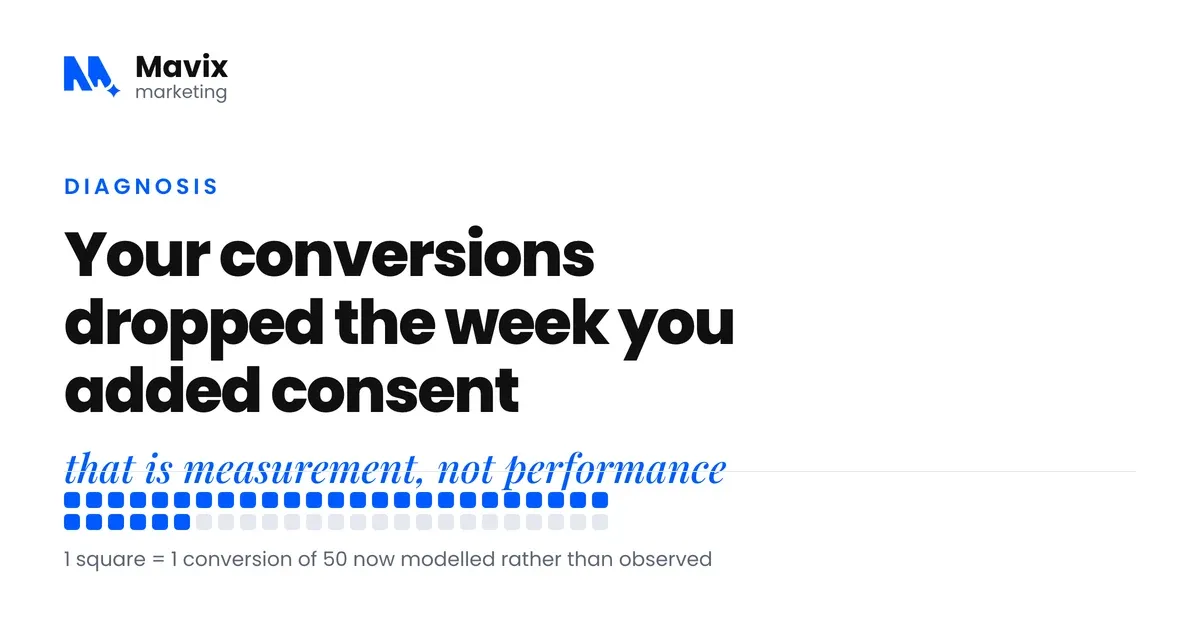
- Compare Search Console clicks with analytics sessions first. Search Console does not rely on your tracking tag, so if clicks held and sessions fell, the problem is measurement.
- Compare with the same month last year, not last month. Google recommends looking at 16 months of data to see seasonal patterns.
- Split branded from non-branded searches, and one page from all pages. Those two splits tell you which family of cause you are in.
- Site changes are the next suspect: pages moved without a 301, a noindex that came with a template, or a robots.txt rule carried over from staging.
- Check confirmed updates on Google’s Search Status Dashboard only after the cheaper checks. Google says pages that drop in a core update are not necessarily doing anything wrong.
- Do not change several things at once. Every simultaneous change removes your ability to tell what fixed it.
Which check matches which symptom?
Read the symptom in the first column, then go to the step it points to. The steps are numbered from zero because the first one is not about search at all.
| What you see | Most likely cause | Where to check | Step |
|---|---|---|---|
| Analytics sessions fell, Search Console clicks did not | Tracking tag missing or changed | Search Console against analytics, same dates | 0 |
| Both fell, and the same months fell last year | Seasonal demand | Search Console, last 16 months, Google Trends | 1 |
| Only branded clicks fell | Fewer people searching for you by name | Search Console, branded query filter | 2 |
| One or two pages lost most of the clicks | A page-level change: rewrite, redirect, lost ranking | Search Console, compare by page | 3 |
| Everything fell from one date after a deploy | Redirects, noindex or robots.txt | Crawl, page source, robots.txt | 4 |
| Position held, clicks fell | A bigger feature above you in the results | Search the terms yourself | 5 |
| The drop starts on a confirmed update date | Algorithmic update | Google Search Status Dashboard | 6 |
| A sudden, site-wide fall with a message in Search Console | Manual action or security issue | Security and Manual Actions reports | 7 |
0. Did something break in the measurement?
Check that your analytics tag is still on every page. A redeploy that dropped the tag from a template produces a chart that looks exactly like a ranking collapse. In the drops we have been asked to look at, a tracking change is a more common answer than a penalty.
Then compare Search Console clicks with your analytics sessions for the same period. Search Console reports clicks and impressions from Google Search results themselves (Search Console Help), so it does not depend on your tag. If clicks are flat and sessions collapsed, the problem is your tracking, and you can stop here.
1. Is the drop seasonal?
Compare against the same month last year, not against last month. Google’s debugging guide suggests setting the Performance report to the last 16 months to see whether the same dip happened before. It also suggests using Google Trends to check whether interest in your topic fell across the board (Google Search Central).
Heating, cooling, legal, education, retail and many home services move with the calendar. A sharp fall from July to October means nothing on its own if the same fall happened last year. Month-on-month reporting on a seasonal business misleads everyone who reads it.
Photo: Artem Podrez on Pexels.
2. Did branded or non-branded searches drop?
Split the Search Console data. Many sites now have a branded queries filter in the Performance report, which separates searches that include your brand name from the rest. It is available for top-level properties with enough search volume (Google Search Central). Without it, filter queries by your brand name yourself.
If branded searches dropped, fewer people are looking for you by name. That is demand for your business, not your rankings. If non-branded dropped, you are being found less by people who did not know you, which is a rankings or results page question. If only one of the two moved, you have already halved the search.
3. Is it one page or all of them?
In Search Console, compare the current period with the previous one by page. Google’s guide recommends breaking the drop down by page, search type and country to see whether it is site-wide or confined to one area (Google Search Central).
A drop concentrated in one or two URLs is a page-level problem: a rewrite, a redirect, a lost ranking. A drop spread evenly across everything is a site-level problem: technical, an update, or a change in demand. This one comparison is the fastest way to work out which family of causes you are in.
4. Did the site change?
Deployments, redesigns, migrations and CMS updates are the next suspect, and in the drops we have been asked to diagnose they have turned up more often than algorithm updates. Unlike an update, they are within your control.
- Check for pages that moved without a 301. Google’s site move guidance says not to redirect many old URLs to one irrelevant page such as the homepage, and to keep redirects for at least a year (Google Search Central).
- Check for redirect chains, where A goes to B goes to C. Google’s crawlers follow up to 10 hops (Google Search Central), but every extra hop is one more thing that can break.
- Check for a noindex that arrived with a template change.
- Check robots.txt for a staging rule that came along with the deploy.
Ask whoever runs the site what changed in the two weeks before the drop. The answer is often something nobody thought was related. If you want a full list of what to check, the SEO audit checklist sets it out with a pass condition for each item.
5. Did the results page change?
Search your main terms and look at what sits above you now. If Google has added an AI Overview, a larger local pack or more shopping results above the organic listings, your position may be the same and your clicks lower.
That is lost space on the page, not a lost ranking, and the response is different. Google counts appearances in AI Overviews and AI Mode in the Web search type of the Search Console Performance report. It says there are no special requirements to appear in them beyond being indexed and eligible for a snippet (Google Search Central). The work is to be the page worth citing, or to build for the longer, more specific searches where the feature does not appear.

Photo: Yan Krukau on Pexels.
6. Was it a Google update?
Only ask this now. Google lists confirmed ranking updates, with start and end dates, on its Search Status Dashboard (Google Search Status Dashboard). Compare your drop date against those dates, then check whether competitors moved too.
Google’s guidance on core updates says pages that drop are not necessarily doing anything wrong. It says you should wait at least a week after an update finishes before judging it. It also says improvements can take several months to show, sometimes not until the next core update (Google Search Central). There is no quick fix, and anyone offering one is guessing. The work is the same work that would have been right anyway.
7. Is there a manual action or a security issue?
Check Search Console, under Security and Manual Actions. A manual action means a human reviewer at Google decided pages on the site break its spam policies. Google says it will show in the Manual actions report and the message centre (Search Console Help). It is rare and obvious when present, and worth ruling out in the thirty seconds it takes.
What should you avoid doing after a drop?
Do not change a lot of things at once. A drop is a diagnostic problem, and every simultaneous change removes your ability to tell what caused the recovery.
Do not delete pages that lost traffic. Some of them hold links that support the pages still working.
Do not rewrite content before you know it is a content problem. In the order above, content comes last for a reason. If you report on this monthly, an SEO reporting template that leads with enquiries makes the next drop easier to read.
The bottom line
A traffic drop is a question about what changed, and the cheapest answers come first: the measurement, the calendar, the site itself. Rule those out before you blame Google, and change one thing at a time so you know what worked.
Questions people ask about this
How do I know if it was an algorithm update?
Compare your drop date against the confirmed update dates Google publishes on its Search Status Dashboard. If your drop started three weeks before an update began rolling out, it was not the update, however tempting that explanation is. Updates also tend to move a whole category rather than one page, so check whether your competitors moved too.
Traffic dropped right after our redesign. Is that normal?
A temporary wobble is normal. Google says visibility may fluctuate during a move and that a medium-sized site can take a few weeks or more for the new URLs to replace the old ones. A drop that persists is not normal, and in our experience the cause is most often redirects: pages that moved without a 301, or a chain that lost its way. Crawl the old URL list against the new site and you will usually find it quickly.
Should I do anything immediately?
Check whether tracking is still working, and check Search Console for manual actions. Both take five minutes and both are serious if missed. Everything else can wait until you know what you are dealing with, and acting before you know is how a drop becomes two drops.
How do I split branded from non-branded in Search Console?
If your property shows the branded queries filter in the Performance report, use it. Otherwise add a query filter and choose queries not containing your brand name and its common misspellings. That gives you non-branded. Flip the filter to containing for branded. Compare each against the same period last year, and save both views so you can check them in seconds next time. If the brand name is a common word, add the town or product to the filter.
What if Search Console and analytics both dropped?
Then the traffic is really gone and the measurement is fine, so move to step one. Both falling together rules out a tag problem and points at seasonality, rankings or the results page. Check the date the drop started in Search Console, because it is usually sharper there than in analytics. That date is the anchor for every other comparison in the list.
How long should I wait before deciding it is a real drop?
Two to three weeks of data, unless the drop is total. A single bad week is noise, particularly around holidays and school terms. A drop that holds across three consecutive weeks, against the same weeks last year, is real. Use the waiting time to work through steps zero to four, because those checks cost nothing and most of them can be done in an afternoon.
Which pages should I look at first?
Sort the Search Console page comparison by the biggest absolute loss in clicks, not by percentage. A page with a handful of clicks that went to zero looks dramatic and rarely matters. A page that lost most of its clicks is where the money went. Open the top five losers, check each still returns a 200, has no noindex and still contains the content it ranked for. That finds most page-level causes.
Can a competitor cause my traffic to drop?
Yes, and it is more common than a penalty. If your position for a term slipped from second to fourth because someone published a better page, your clicks fall without anything on your site changing. Check average position by query in Search Console. Then search the term and read what now sits above you. If it is genuinely better, the fix is content, and content goes at the end of the order.
Does a drop in impressions mean the same as a drop in clicks?
No. Impressions falling with position steady usually means fewer people are searching, which is seasonality or demand. Clicks falling with impressions steady means you are being seen and chosen less, which points at the results page changing or a weaker title. Position falling with both means a ranking loss. Reading the three together tells you which family of cause you are in before you open anything else.
Should I disavow links after a drop?
Almost never. Google says to use the disavow tool only if you have a considerable number of spammy or artificial links pointing at your site. They must also have caused, or be likely to cause, a manual action. It also warns the tool can harm your performance if used wrongly. If there is no manual action in Search Console, spend that hour on the redirect check instead.
What should I tell my agency or developer when I report the drop?
Give them the date it started, whether Search Console and analytics agree, and whether it is branded or non-branded, one page or all pages. Those four facts shorten the diagnosis sharply, because they are the first four things anyone competent would ask. Then ask the developer what was deployed in the two weeks before the date. Ask for a plain list, not a reassurance.
How do I recover clicks lost to an AI overview or a bigger local pack?
Look at which queries lost clicks while holding position. For those, make the page the clearest source on the question: a direct answer high on the page and a heading that matches the question. Google says no special markup or files are needed to appear in AI features, only that the page is indexed and eligible for a snippet. Then look at longer, more specific searches in the same topic where the feature does not appear, and build for those.
When is a drop actually a good sign?
When the traffic that left was never going to buy. A site that loses informational visitors after tightening its content can see clicks fall while enquiries hold or rise. Before panicking, check enquiries for the same period. If leads are flat or up and traffic is down, you lost noise. Report on enquiries first and traffic second, and the next drop will be easier to read.
Do I need to tell Google anything after I fix the cause?
Usually no. Fix the redirect, remove the noindex, restore the tag, and Google picks it up when it next crawls. You can request indexing for a handful of important URLs with the URL Inspection tool, and you should submit the new sitemap after a migration. Then wait. A technical fix often shows within weeks, while Google says content improvements can take several months.
Free review
Want this looked at on your own site?
Send the address. A person reads it and writes back with the two or three things that would move your enquiry number first. Free, and yours to keep whether you hire us or not.