Google Ads on a small budget: the $1,000 a month setup that works, and what to switch off
Running Google Ads on $1,000 a month? One Search campaign, a tight area, exact and phrase keywords and call assets, plus the settings to switch off first.
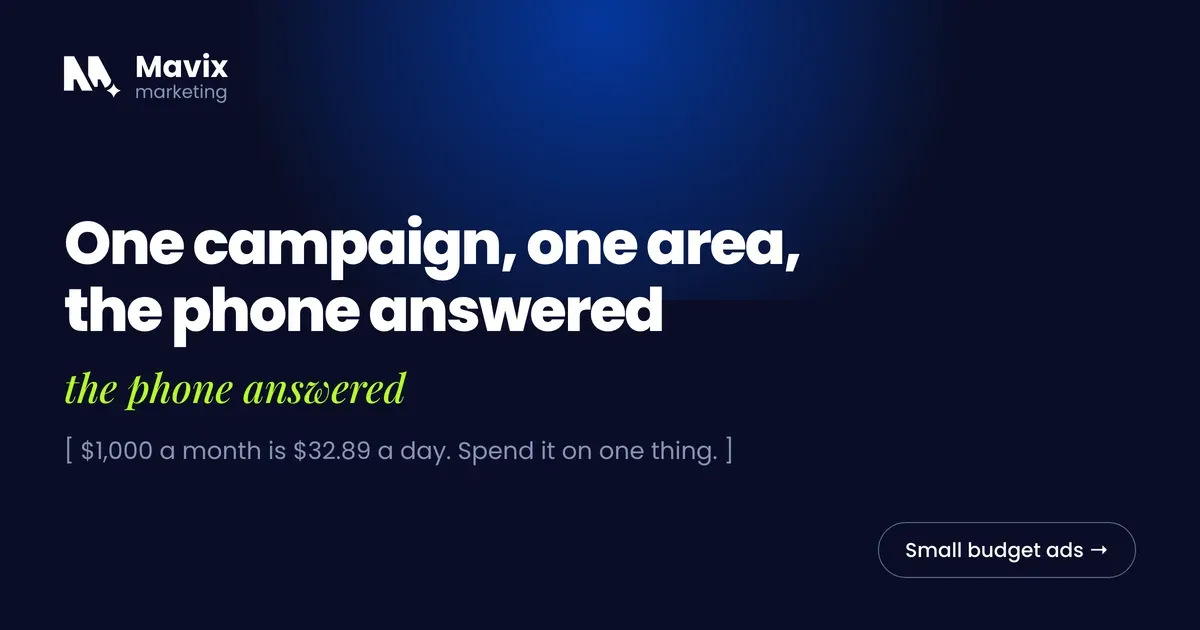
On $1,000 a month, Google Ads works best as one Search campaign in the area you actually serve. Use exact and phrase match keywords and call assets, and run the ads only when someone answers the phone. That budget is about $32.89 a day, which buys roughly six clicks a day at the 2026 average of $5.42 a click.
This page is for owners of local service businesses and small firms who want to test Google Ads without wasting the first month. It shows what the money buys in your industry, the setup step by step, and the default settings that quietly spend a small budget on the wrong things.
The short version
- $1,000 a month is a $32.89 average daily budget, because Google counts a month as 30.4 days, and a campaign can spend up to twice that on one busy day.
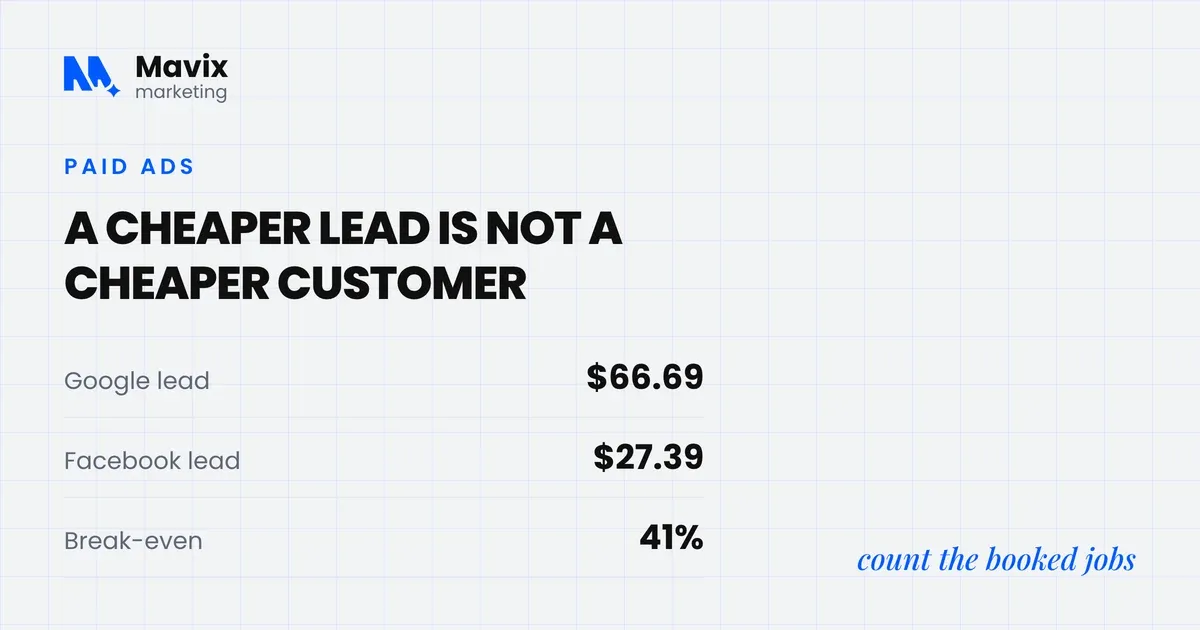
- At LocaliQ’s 2026 all-industry averages of $5.42 a click and $66.69 a lead, $1,000 buys about 185 clicks and 15 leads a month.
- In expensive industries it buys far less: about 8 leads a month at the $131.63 legal average, and 11 at the $90.92 home improvement average.
- Use one Search campaign, two or three ad groups, exact and phrase match, call assets and an ad schedule. Skip Performance Max, Display, broad match and auto-applied recommendations.
- If your industry’s average click costs more than about $10, $1,000 a month buys under 100 clicks, which is too few to learn from.
Is $1,000 a month enough for Google Ads?
It is enough for one focused campaign in most local industries, and not enough to spread across several. LocaliQ’s 2026 benchmarks put the all-industry average at $5.42 a click and $66.69 a lead, so $1,000 buys about 185 clicks and 15 leads a month (LocaliQ). Whether that pays depends on what a customer is worth.
| Industry (LocaliQ 2026) | Average cost per click | Average cost per lead | Clicks for $1,000 | Leads for $1,000 |
|---|---|---|---|---|
| All industries | $5.42 | $66.69 | 185 | 15.0 |
| Automotive repair | $4.35 | $29.96 | 230 | 33.4 |
| Dentists | $8.00 | $72.97 | 125 | 13.7 |
| Home and home improvement | $8.33 | $90.92 | 120 | 11.0 |
| Real estate | $3.22 | $102.51 | 311 | 9.8 |
| Attorneys and legal | $9.87 | $131.63 | 101 | 7.6 |
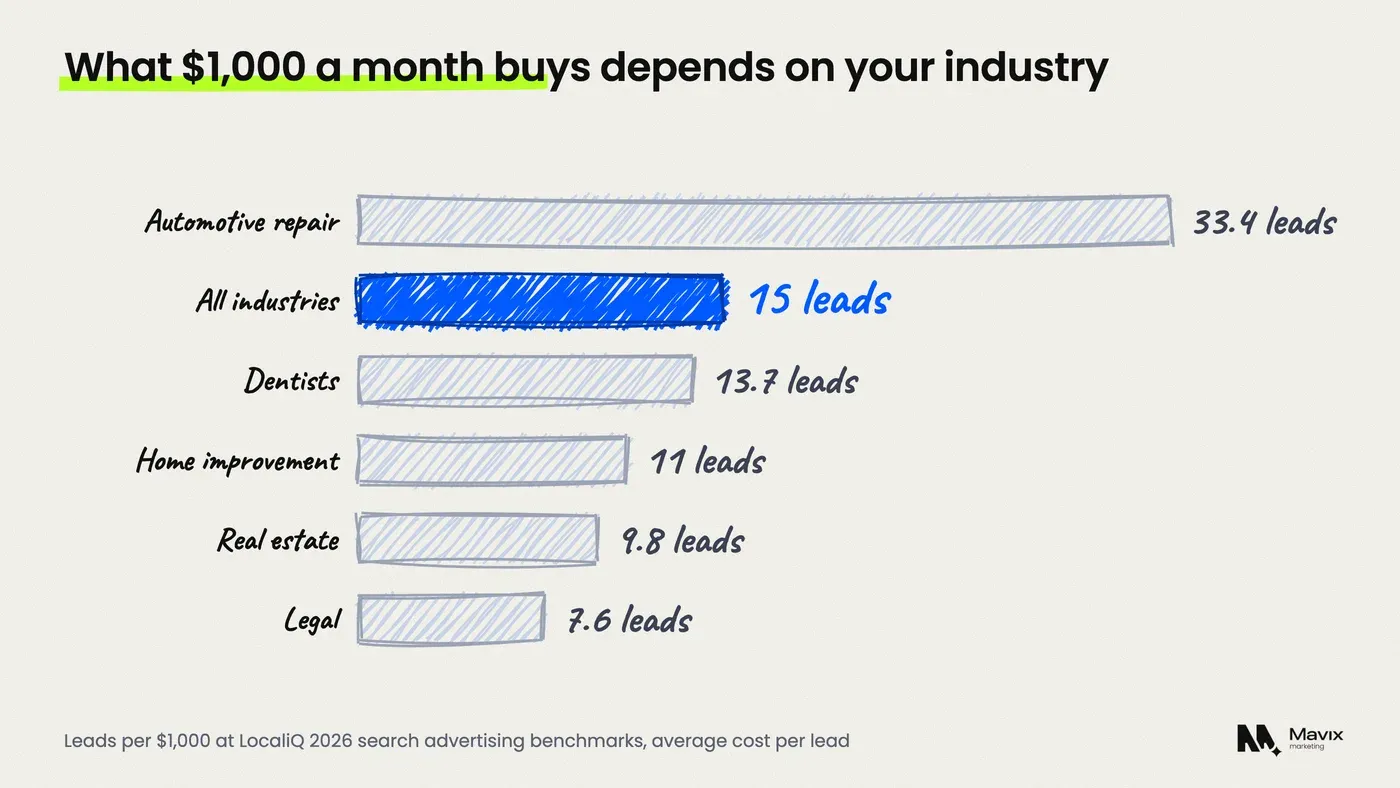
The table shows the same $1,000 buying four times as many leads for a repair shop as for a law firm. Real estate gets the most clicks and still among the fewest leads, because few of its clicks turn into enquiries. Find your row before you decide the budget is too small or too big.
For whether a small business should run Google Ads at all, read is Google Ads worth it for a small business. For what each industry pays and why, see Google Ads cost in 2026.
What does $1,000 a month buy each day?
$1,000 a month is a $32.89 average daily budget. Google treats a month as 30.4 days and lets most campaigns spend up to twice the daily budget on a single day. It never charges more than 30.4 times the daily budget in a month (Google Ads Help). Set the daily figure from the monthly total.
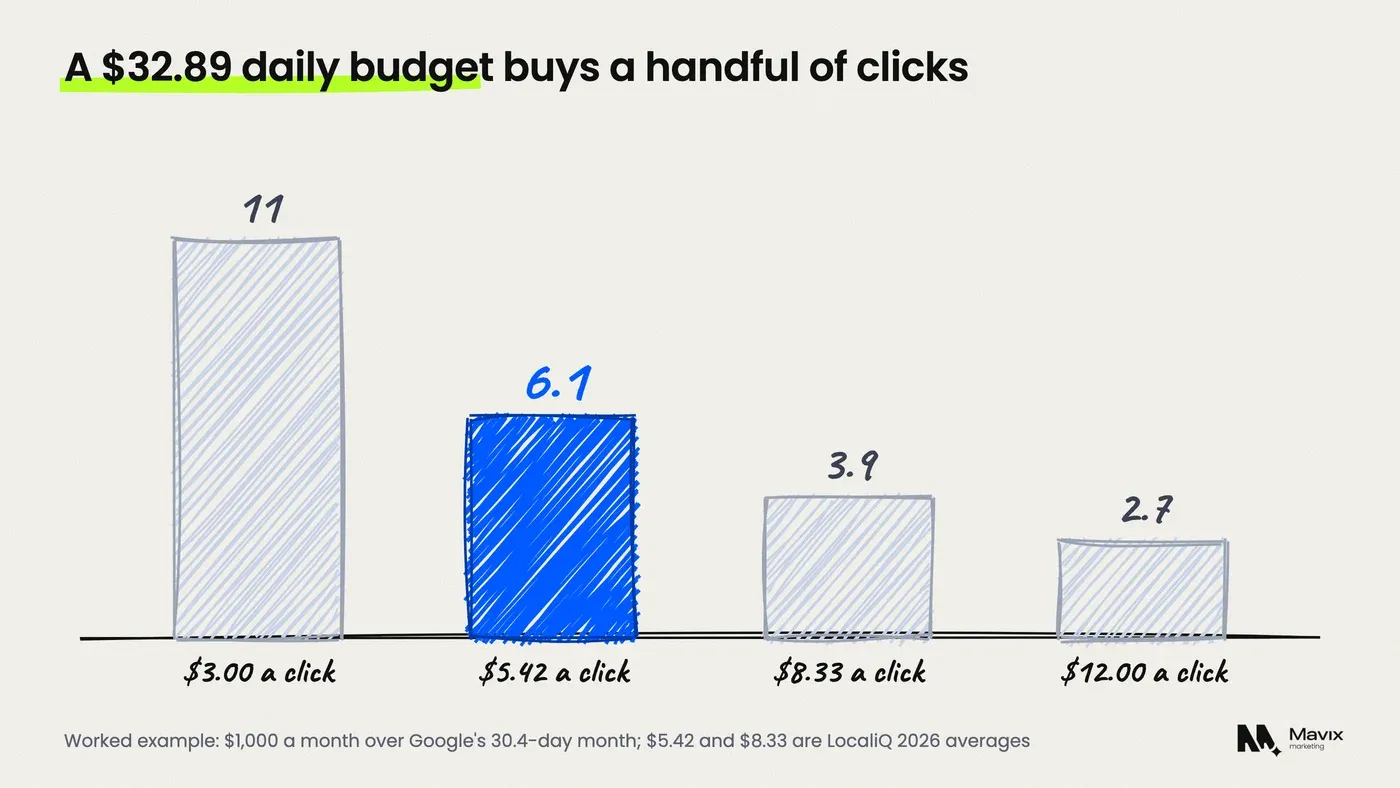
How many clicks $32.89 a day buys depends on the click price:
| Average click price | Clicks a day | Clicks a month |
|---|---|---|
| $3.00 | 11.0 | 333 |
| $5.42 (all-industry average) | 6.1 | 185 |
| $8.33 (home improvement average) | 3.9 | 120 |
| $12.00 | 2.7 | 83 |
The table is the reason a small budget needs one campaign. At $8.33 a click you get about four clicks a day. Split that across three campaigns and five ad groups and no keyword collects enough clicks in a month to show whether it works.
Before launch, Google’s Keyword Planner forecasts clicks and cost for your own keywords and area (Google Ads Help). Use it to check your click price is in the range of the table.
How do you set up Google Ads on a small budget?
Build one Search campaign around the service that earns the most, in the area you serve, on a short list of high intent keywords. Everything else waits until that campaign has a month of data. The steps below take about two hours in a new account.
- Set up conversion tracking first. Count calls from the ads and form submissions. Without it you cannot tell which keywords bring customers.
- Create one Search campaign. Choose Search only, not Performance Max or a Smart campaign.
- Untick Search partners and the Display Network in the campaign’s network settings, so the budget stays on Google search.
- Target the area you serve, with Presence. Pick ZIP codes or a radius, and choose Presence so ads reach people in that area rather than people elsewhere who showed interest in it (Google Ads Help).
- Build two or three ad groups, one per service, each with 5 to 15 keywords.
- Write one responsive search ad per ad group that repeats the service and the town.
- Add call assets with your business hours.
- Set an ad schedule to the hours someone picks up the phone.
- Add a starter negative keyword list before the first click.
Send each ad group to the page about that service, not the homepage. A page with the phone number at the top and one short form converts more of the clicks you paid for.
Which keywords and match types suit a small budget?
Exact and phrase match suit a small budget because they show your ad only for searches close to your keyword. Google says broad match can show ads on searches related to the keyword, including some that do not contain its meaning. It adds that it is “critical” to use Smart Bidding with broad match (Google Ads Help). Smart Bidding needs conversion data a new small account does not have.
| Match type | How you type it | What it catches | Use on $1,000 a month? |
|---|---|---|---|
| Exact | [emergency plumber dallas] | Searches with the same meaning | Yes, for your best terms |
| Phrase | “water heater repair” | Searches that include the meaning, plus more words | Yes, for the rest |
| Broad | water heater | Related searches, sometimes loosely | Not until conversions are tracked |
The table shows the trade. Exact and phrase reach fewer searches, and on a small budget that is the point: you cannot afford the loose ones. Pick keywords that show someone ready to buy, with words like repair, near me, cost, or the town name, and leave out research terms such as “how to” and “DIY”.
Run the search terms report weekly and add every irrelevant search as a negative keyword. Our list of negative keywords for home services is a starting point for trades.
Which settings waste a small Google Ads budget?
Default settings are built for advertisers with more money and more data. Four of them spend a small budget fastest: automatic network expansion, broad match keywords added for you, recommendations applied without review, and campaign types that choose their own placements. Switch them off before launch, and turn each back on only when the data says so.
- Auto-applied recommendations. Google can automatically apply some recommendations, including “Add broad match keywords”, “Add keywords” and Display expansion. The feature can be turned off at any time in the auto-apply settings (Google Ads Help). Turn it off and review suggestions by hand.
- Performance Max. It spreads one budget across YouTube, Display, Search, Discover, Gmail and Maps (Google Ads Help). On $33 a day it rarely has enough to learn. The comparison of Performance Max and Search campaigns explains when it starts to make sense.
- Display and Search partners. Both are cheaper clicks from sites other than Google search, and usually weaker intent.
- Running all night. Ads that run when nobody answers buy calls that go to voicemail.
On a small budget, every setting you did not choose is spending money you did not plan.
Why call assets matter on a small budget
Call assets add your phone number to the ad, shown as a call button on phones and “Call us” on desktop. Google lets you schedule them to the days and hours your business answers, and call reporting can count calls from ads as conversions (Google Ads Help). For a local service business, a call is usually the best lead.
A small budget cannot afford leads that leak between the click and the call. If a searcher can tap the number straight from the ad, there is no landing page to load and no form to abandon. Turn on call reporting so each call is counted, set a minimum call length that filters out wrong numbers, and check which keywords produced the calls that booked.

A worked example: a $1,000 month for a home improvement business
Take a home improvement business at LocaliQ’s 2026 averages: $8.33 a click and $90.92 a lead. The arithmetic for one month on $1,000:
- $1,000 divided by 30.4 days gives a $32.89 average daily budget.
- $1,000 divided by $8.33 gives about 120 clicks a month, or four a day.
- $1,000 divided by $90.92 gives about 11 leads a month.
- If one lead in three becomes a job, that is 3 or 4 jobs.
If an average job brings $1,500 of gross profit, three jobs return $4,500 on $1,000 of spend, and the test is worth continuing. If an average job brings $200 of profit, the same three jobs return $600 and the campaign loses money. Put your own figures into the Google Ads ROI calculator before you start.
When $1,000 a month is the wrong amount
$1,000 a month is too little when your industry’s clicks cost more than about $10, because you get under 100 clicks a month and one good or bad week decides the result. Legal is the clearest case in LocaliQ’s data at $9.87 a click and $131.63 a lead.
It is also the wrong amount when:
- Nobody answers the phone in the day. Paid calls go to voicemail.
- There is no tracking. You will not know what the money bought.
- The area is tiny. A small town may not have enough searches to spend the budget, and Google cannot buy clicks that do not exist.
For many local service businesses, Local Services Ads are a better first $1,000, since you pay per lead rather than per click. The comparison of Local Services Ads and Google Ads shows which suits which business. When you are ready to spend more, our ads pricing page shows what management costs at each budget, and the Google Ads service page shows how we build a first campaign.
Questions people ask about Google Ads on a small budget
What is the minimum budget for Google Ads?
Google sets no minimum budget; you choose the daily amount. In practice, the budget needs to buy enough clicks to learn from. At LocaliQ’s 2026 average of $5.42 a click, $500 a month buys about 92 clicks, roughly three a day. That shows whether the phone rings, but it is thin evidence for judging individual keywords.
Should I use Maximize clicks or Maximize conversions on a small budget?
Start with Maximize clicks with a maximum bid limit, or manual bids, while conversion tracking collects data. Maximize conversions needs tracked calls and forms to learn from, and a new small account has few. Once the campaign records conversions steadily each week, test Maximize conversions and compare the cost per lead over a full month.
How many keywords should a small Google Ads campaign have?
About 10 to 40 keywords across two or three ad groups is enough for a $1,000 budget. More keywords spread a few clicks a day so thin that none collects enough data. Choose the searches closest to buying, use exact and phrase match, and add new keywords only from searches the report shows are converting.
How long should I test Google Ads on a small budget?
Give it at least one full month, and judge it on cost per lead and booked jobs rather than clicks. A small budget buys few conversions, so a week of results is mostly noise. If the first month brings leads at a cost your margin can carry, keep going and widen slowly.
Can I run Google Ads for only part of the day?
Yes. An ad schedule shows your ads only on the days and hours you choose, and call assets can be scheduled separately. On a small budget, running only while someone can answer the phone usually lowers the cost per real lead, because no money goes on calls that reach voicemail.
Is Performance Max good for a small budget?
Usually not at first. Performance Max spreads one budget across several Google channels and decides placements itself, which needs conversion data and volume a $1,000 account rarely has. Start with a Search campaign, get conversion tracking working, and test Performance Max later with a separate budget.
The bottom line
On $1,000 a month, run one Search campaign, on your most profitable service, in the area you serve, with exact and phrase match, call assets and an ad schedule. Turn off auto-applied recommendations, Display and Search partners before launch. Judge it after a full month on cost per booked job.
If you want that first campaign built so the budget goes on buyers, get a free Google Ads setup plan for your business. You get the campaign structure, keywords and settings written out, usually within one working day.
Free review
Want this looked at on your own site?
Send the address. A person reads it and writes back with the two or three things that would move your enquiry number first. Free, and yours to keep whether you hire us or not.